We all know that having the right skills is the key to landing a job. But when it comes to quantifying our skills and defining exactly what we can offer a potential employer, many of us struggle to find the right words.
You don't want to undersell your capabilities and miss out on an opportunity ... but on the other hand, you also don't want to misrepresent yourself or claim a competency you don’t have.
The solution? Use skill levels on your resume. Words like Expert, Proficient, and Beginner quantify your skills, highlight your expertise, and give employers a clear understanding of your abilities — making it easier for them to hire you.
How to list skill levels on your resume
In that case, how do you list skill levels on your resume? Here's how to get started:
- Write a list of the skills you possess. You should keep this as a master list somewhere to help you easily customize your resume by swapping out skills.
- Take a look at the job description. Match that up against your own list until you have 10-15 skills in common.
- Create a section toward the bottom of your resume titled "Skills" or "Additional Information."
- Choose how to organize your skills list (more on these options later).
- Specify your level of proficiency clearly and simply, so that it can be understood at a glance.
- Reinforce these skill levels by mentioning key skills in your Work Experience bullet points.
Now, let's take a closer look at how to categorize skill levels.
How to display skill levels on a resume
You have a few different options for displaying skills levels on your resume. You can:
- Categorize skills by level of proficiency
- Specify your skill level in parentheses after each skill
- Describe your skill level in simple terms
- List your years of experience with each skill
- Include formal levels of qualification
Keep scrolling for some examples of what each of these options should look like and how to use them for your own resume.
Categorize skills by level of proficiency
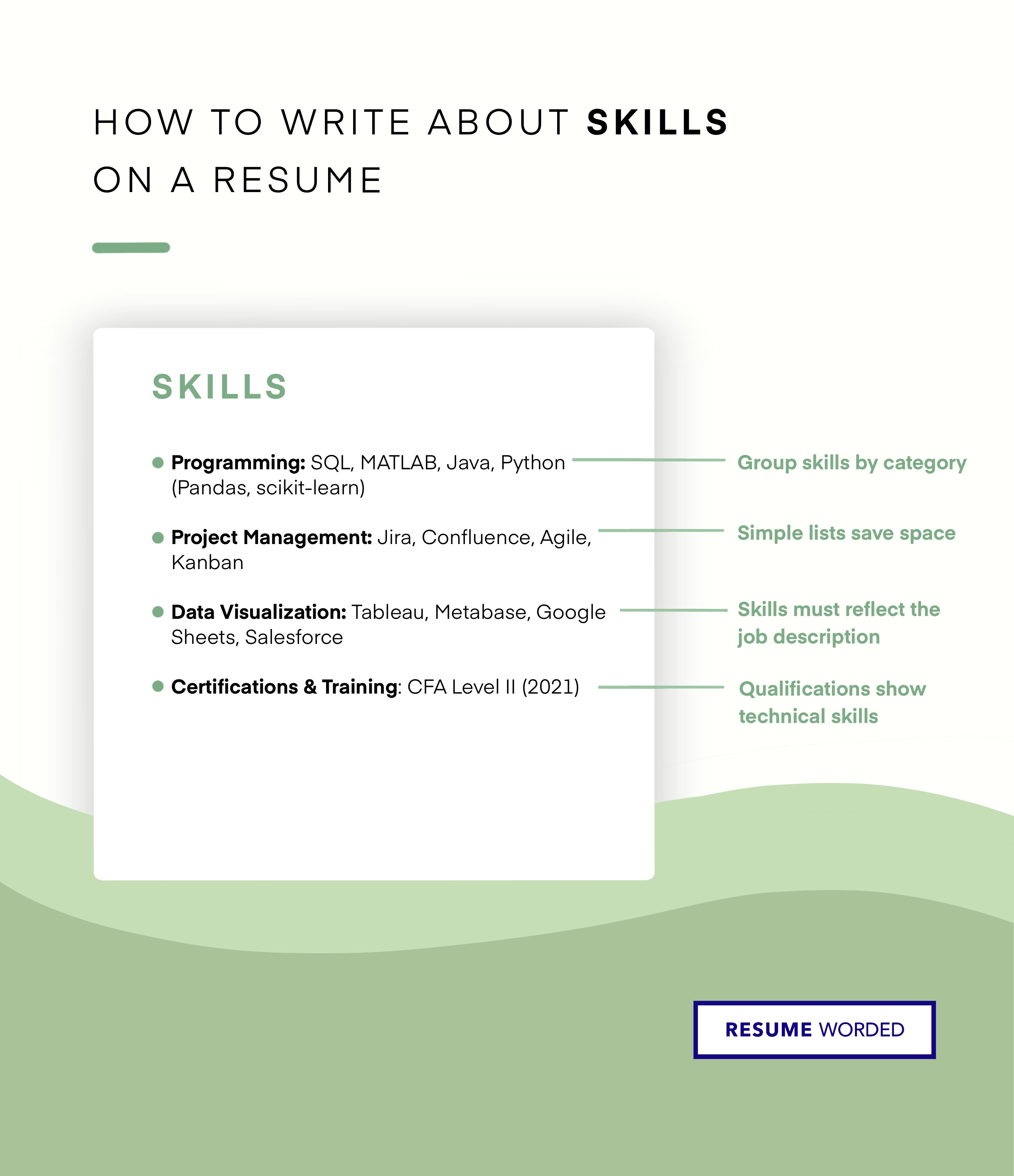
This is one of the clearest ways to indicate skill level on your resume. In your Skills section, create subheadings like "Expert" and "Proficient," then list your relevant skills.
Here's a basic template:
Expert: Python, Microsoft Excel, Adobe Photoshop
Proficient: Java, CSS, UX Design
And here's an example of a resume using this approach:

Specify your skill level in parentheses after each skill
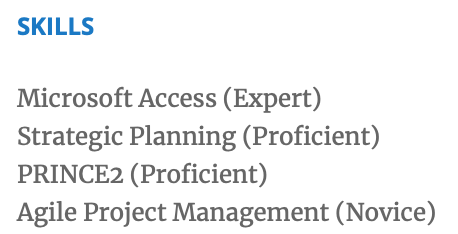
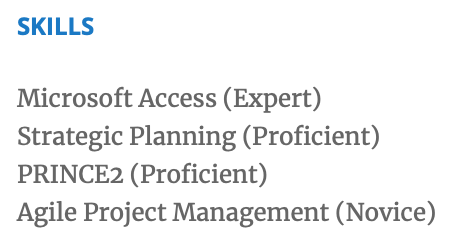
You can also list your proficiency level after each skill if you have a number of varying skill levels.
Here's a template you can use:
SKILLS
Microsoft Access (Expert)
Strategic Planning (Proficient)
PRINCE2 (Proficient)
Agile Project Management (Novice)
And here's an example from a resume:
Describe your skill level in simple terms
If you prefer to organize your skills in a different way — for example, by breaking them up into categories like "Technical Skills," "Certifications," "Volunteering," and "Awards" — you can add in a couple of simple words to describe your skill level.
Here's a template for you to follow:
SKILLS
Technical Skills: Advanced in Microsoft Access, SQL and Tableau; Proficient with Python, Java and Hadoop
Languages: Fluent in English, Spanish; Conversational Proficiency in French, German
And here's another example of what it could look like:

List your years of experience with each skill
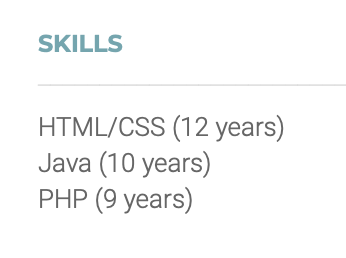
Do you feel self-conscious about self-describing as an "expert?" You can get around this by listing your years of experience instead. This has the additional benefit of being purely factual, allowing recruiters to see more easily if you match their ideal candidate.
Here's a template:
SKILLS
HTML/CSS (12 years)
Java (10 years)
PHP (9 years)
And here's a resume example:
Include formal levels of qualification
Similarly, you can use formal qualifications as a shortcut to describing your skill levels. Qualifications can go in an "Additional Information" section alongside other skills, or in a separate resume section if you prefer.
Here's a template you can copy and paste:
ADDITIONAL INFORMATION
Technical Skills: Financial Analysis, Forecasting, QuickBooks
Certifications: CFA Level 2 (August 2016)
And here's an example in action:

Do's and don'ts of putting skill levels on a resume
Once you've decided how to organize your skills, here are a few tips to keep you on track.
DO
- List the skills you're most proficient in first.
- Use technical language and name the exact tools you use — for example, "WordPress, CSS and Javascript" instead of "website creation."
- Use the same scale for all skills and be consistent with your wording.
- List more skills at an "Expert" or "Proficient" level and limit the number of "Novice" or "Intermediate" skills on your resume.
- Use the job description to guide you. You can also enlist the aid of tools like our Skills and Keywords finder or Targeted Resume.
DON'T
- Don't use color coding to represent your skill levels. Not all recruiters will understand what different colors are supposed to mean, and most ATS software will strip out formatting — including color.
- Don't use pie charts, graphs, or infographics to display your skill levels. It may look fancy, but images generally don't belong on your resume.
- Don't give yourself a rating — for example, "5 stars" or "95/100."
- Don’t list skills you have no experience with. You should have a basic understanding of every skill on your resume and expect to be questioned about it in an interview.
What skill levels to use on your resume
There is no standardized way to quantify skills, but don’t fret. No matter the industry, these universal terms can be applied to most common skills.
General skill levels
Most recruiters read skill levels against the same four-step proficiency scale, running from beginner to expert. Here’s what each term on the scale tells them:
| Skill level | What it tells a recruiter | Example |
|---|---|---|
| Beginner, Novice or Entry-level | You have some working experience with the skill from a course or training and can perform basic tasks, but need guidance or oversight to use it independently. | Canva (Beginner) |
| Intermediate | You are comfortable using the skill as part of a team with minimal assistance, and have enough hands-on experience to discuss it in an interview. | Java (Intermediate) |
| Proficient or Working Experience | You have used the skill independently at work and are comfortable with all aspects of it — no supervision or assistance required. | Excel (Proficient) |
| Expert or Advanced | You have extensive hands-on experience performing the skill independently at a high level. You could teach it to others and run a team where it is the primary focus. | Python (Expert) |
If a skill matters for the job but you’re still below “beginner,” here’s how to describe skills you’re not proficient in without overstating them.
If you're not sure if you have represented your skill levels the right way, upload your resume to the tool below – you'll get a confidential resume review and suggestions for improvements.
Language-specific skill levels
Here are some options for including language skills on your resume.
Basic or Elementary: You know a few simple phrases but would struggle to hold a conversation.
Intermediate or Conversational: You can hold a conversation in this language but struggle with complex terms or topics. You can make yourself understood but need assistance to read or write.
Fluent or Proficient: You can hold an in-depth conversation and communicate ideas effectively. You can read and write in this language easily.
Native or Bilingual: You are fluent and consider this a first language. You could conduct an interview or hold a meeting in this language.
Programming and coding skill levels
Here is an example of how the general skill levels above would relate to industry-specific computer programming skills.
Basic: You just started learning this language, can read code, and have limited experience with it at work.
Competent: You have a basic understanding of a specific database and can perform simple tasks, but would require assistance to create projects independently.
Skilled or Proficient: You have a thorough understanding of this particular programming language, can perform complex tasks, and create effective applications independently.
Expert: You can create complex applications and have used this language on multiple projects. You could oversee a team of beginners and teach the basics.
Determining your skill proficiency
When determining your proficiency level, consider how confident you would be using a skill independently.
- Do you have prior experience with this skill?
- Do you need oversight or guidance to use this skill?
- If asked about this skill in an interview, could you talk about it confidently and offer examples?
Be honest about your skill levels and never oversell your abilities or claim competencies you don’t have. There is no shame in being a beginner, but an employer needs to know truthfully so they can provide any assistance or training you might require.
Proficient vs. expert: what’s the difference?
Proficient means you use the skill independently and handle its day-to-day demands without help, though you might still consult documentation or a colleague on an unusual case. Expert means you’ve mastered it: you work at a high level without support, other people bring their questions to you, and you could teach the skill or lead a team built around it.
The practical test is teaching. If colleagues come to you when they’re stuck, put expert. If you do the work well but wouldn’t volunteer to run a training session on it, proficient is the honest — and still strong — choice.
Other considerations when listing skill levels on a resume
Hard vs soft skills
Hard skills are technical abilities associated with specific job tasks, for example, Javascript, WordPress, or SEO. Soft skills are personal qualities you bring to a team, such as conflict resolution, time management, and organization.
Hard skills can be quantified through skill levels and qualifications. Soft skills are subjective and speak more to how you perform in a work environment.Avoid putting soft skills on your resume and focus on specific hard skills. Soft skills are better exemplified through work experience and descriptions of specific accomplishments. Anyone can write that they are hardworking with good attention to detail. Instead, demonstrate these facts to your recruiter through a detailed work history.
ATS: Why are skills important?
Automated software known as Applicant Tracking Systems are used to scan resumes for specific keywords. ATS is popular with recruiters as it streamlines their work by eliminating unqualified applicants.
Not including relevant skills on your resume can be the difference between making it past the ATS and getting filtered out at the first hurdle. Knowing what keywords recruiters are looking for is key.
Make sure to include all relevant skills and use our Targeted Resume tool to scan your resume and identify any important keywords or skills you might be missing.
You can also use the skills search tool below to get a list of skills and keywords relevant to the job you're applying for.
What to do if a skill is missing from your resume
Never lie and claim a skill you don’t have. Instead, invest some time into training courses, like Google Career Certificates or Coursera online courses, so you can confidently add a new skill to your resume.
FAQs about skill levels on a resume
What should I put in the skills section of my resume?
A mix of the hard skills the job description asks for — software, tools, languages, certifications — plus a small number of soft skills your work experience can back up. Mirror the posting’s exact wording where you honestly can, and add proficiency levels only where they make a skill more credible.
Do I need to list a skill level for every skill?
No. Reserve levels for skills that are central to the role, or where the employer asked for a specific proficiency. For everything else, the skill name alone is enough — a level attached to a minor skill adds clutter without telling recruiters anything they’ll act on.