Fantastic news: You got a promotion! Moving up internally doesn’t just mean more money and responsibility, it also looks great on a job application. That is, if you can figure out how to format your resume to properly show off your career progression.
Why Formatting Matters
When hiring managers read your resume, they’re looking for more than just an overview of your experience. Specifically, they’re looking for evidence that you’ll be a good fit for the position they’re filling. What this means will obviously vary depending on the company and role, but one thing all hiring managers want to see is growth.
So, what exactly are recruiters looking for?
1. Career progression
Experience is one thing, but if you’ve stayed in the same role for the past 10 years without moving up, most hiring managers are going to want to know why. No career growth = a major red flag. Being promoted or taking on different roles at the same company shows that you’re capable of professional development.
2. Stability
On the other end of the scale, recruiters also don’t want to see that you’ve held half a dozen jobs in as many years. If you’ve held a series of different roles, it’s easy to come off looking like a job hopper, which you don’t want. Presenting these as a series of advancements rather than as completely separate roles is key to showing your experience in the best light.
3. Increased capabilities
Being able to list a promotion on your resume isn’t just about a linear escalation of job titles. Recruiters also want to see signs that you’ve picked up new skills along the way. Think about how you can list your responsibilities and achievements in a way that demonstrates real progression.
Now that you know what recruiters are looking for, here are some examples of what we mean.
Examples of how to demonstrate a promotion on your resume
You can opt to demonstrate growth through your job titles, bullet points, or both. Most of the time, the best way to display a promotion or multiple roles on your resume is going to depend on how similar the positions were.
If the roles were different
If you’ve been promoted or moved into a significantly different role, it’s okay to list these as separate entries on your resume. You’re essentially treating these as different jobs but using a shared company heading to make it clear that this was an internal progression rather than a series of isolated jobs.
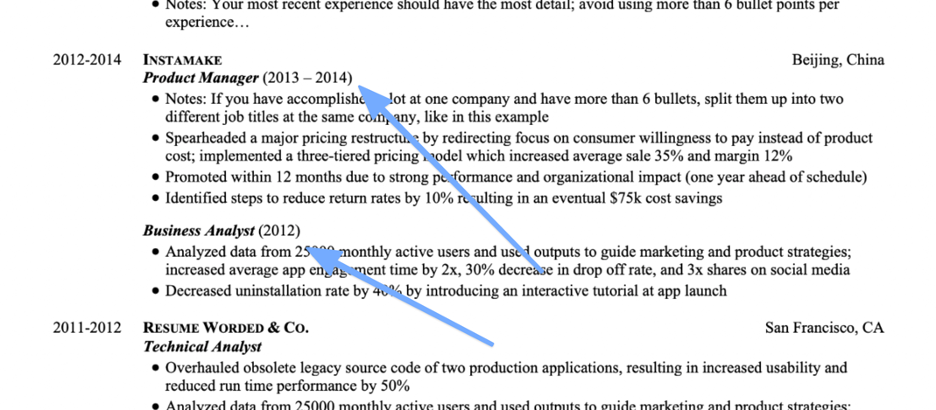
Example:
COMPANY NAME, location
Job title #2, dates
- Bullet points should be in the format [action verb] + [what you did] + [result]
Job title #1, dates
- Bullet points should be in the format [action verb] + [what you did] + [result]
If you prefer, you can list these roles completely separately, with the company name included twice (like in the image below). This is riskier since it can look to a recruiter like two different jobs if they’re only quickly scanning your resume. Why consider it?
Some applicant tracking systems may find it easier to read, so it’s a trade-off. It’s also a good way to show career progression if you held two different roles at the same company with a gap in between (for example, because of a layoff, furlough, or other employment).
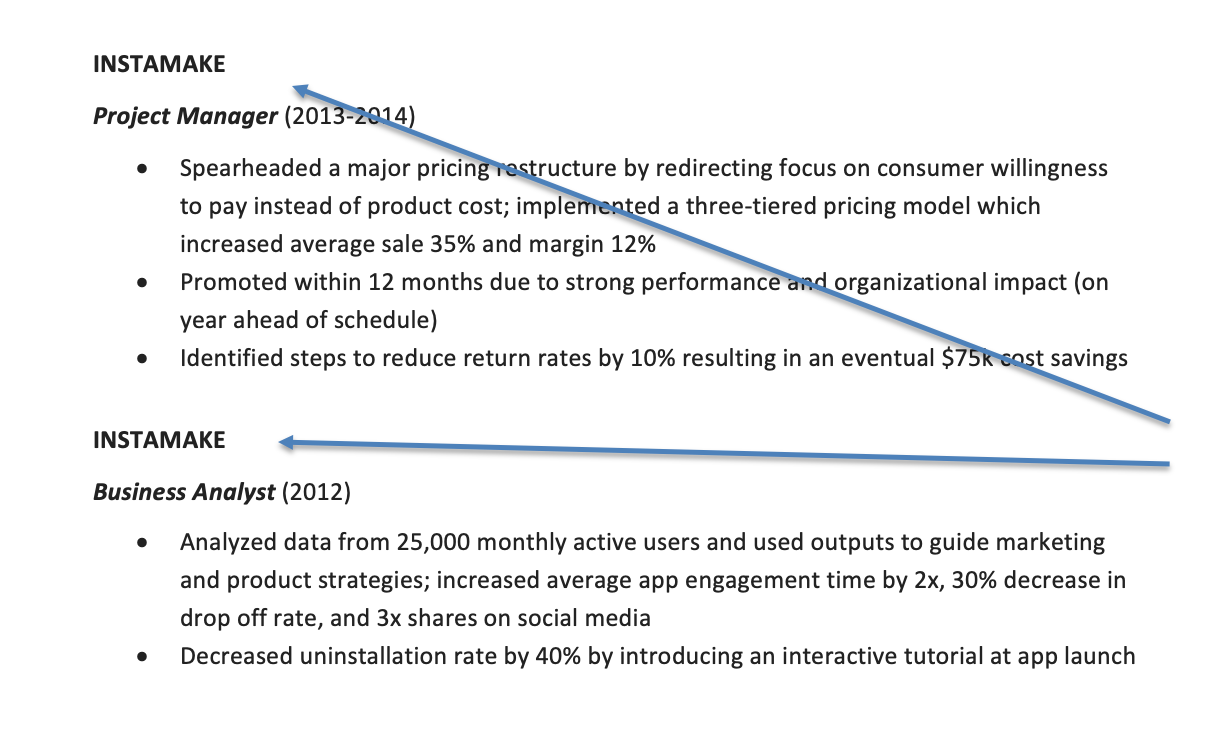
Example:
COMPANY NAME, location
Job title #2, dates
- Bullet points should be in the format [action verb] + [what you did] + [result]
COMPANY NAME, location
Job title #1, dates
- Bullet points should be in the format [action verb] + [what you did] + [result]
A third option is to selectively group different roles together. This is similar to the first option, but ideal if you’re trying to highlight specific experience or particularly noteworthy accomplishments. Here's an example:
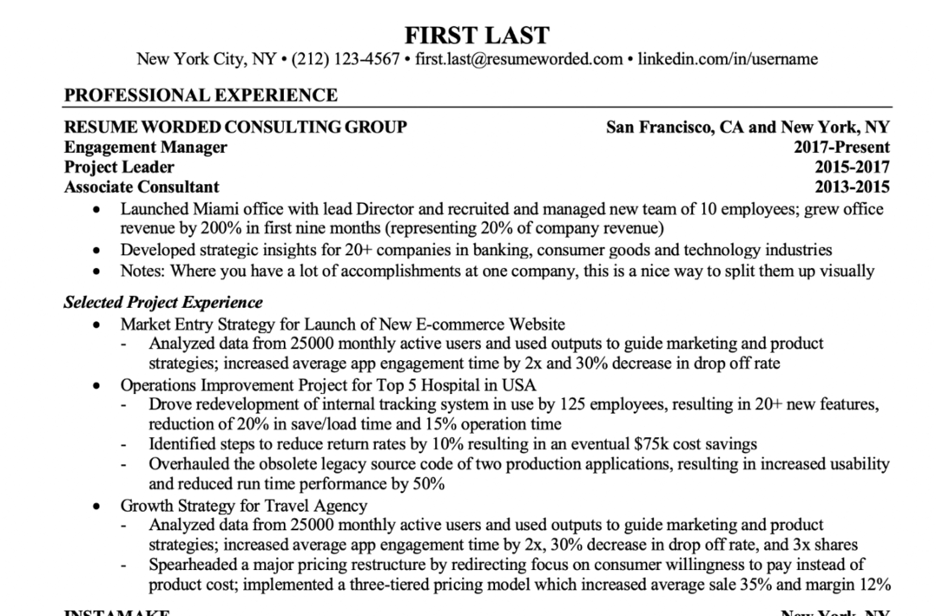
Example:
COMPANY NAME, location
Job title #3, dates
Job title #2, dates
Job title #1, dates
- Bullet points should be in the format [action verb] + [what you did] + [result]
Selected project experience
- Use these bullet points to highlight specific noteworthy accomplishments
If the roles were similar
This one is much easier. If you performed similar tasks in both roles, you can group the bullet points together. List the company first, followed by each role and its accompanying dates on a separate line. The bullet points underneath can include accomplishments for both roles.
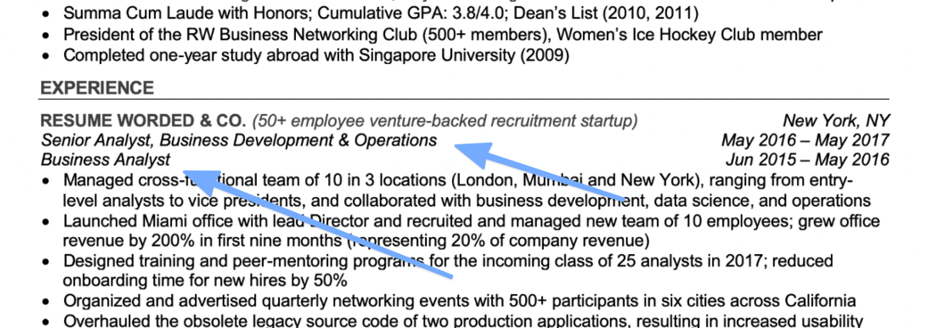
Example:
COMPANY NAME, location
Job title #2, dates
Job title #1, dates
- Include bullet points from both roles, focusing on career progression
Using bullet points to show your promotion
A different — but equally valid — approach is to show job progression through your bullet points instead of in your job titles. This has the downside of being less obvious to a casual observer, but it also has a few significant advantages. If you were promoted quickly, it allows you to highlight an accelerated timeline or any other exceptional accomplishments which led to the promotion. And if your job title hasn’t changed but your responsibilities have, this is a great way to point out your professional growth without having a new role to show for it.
Some bullet point examples:
- Promoted to Associate Consultant in 2 years (1 year in advance); the only member in a cohort of 45 Analysts to be fast-tracked
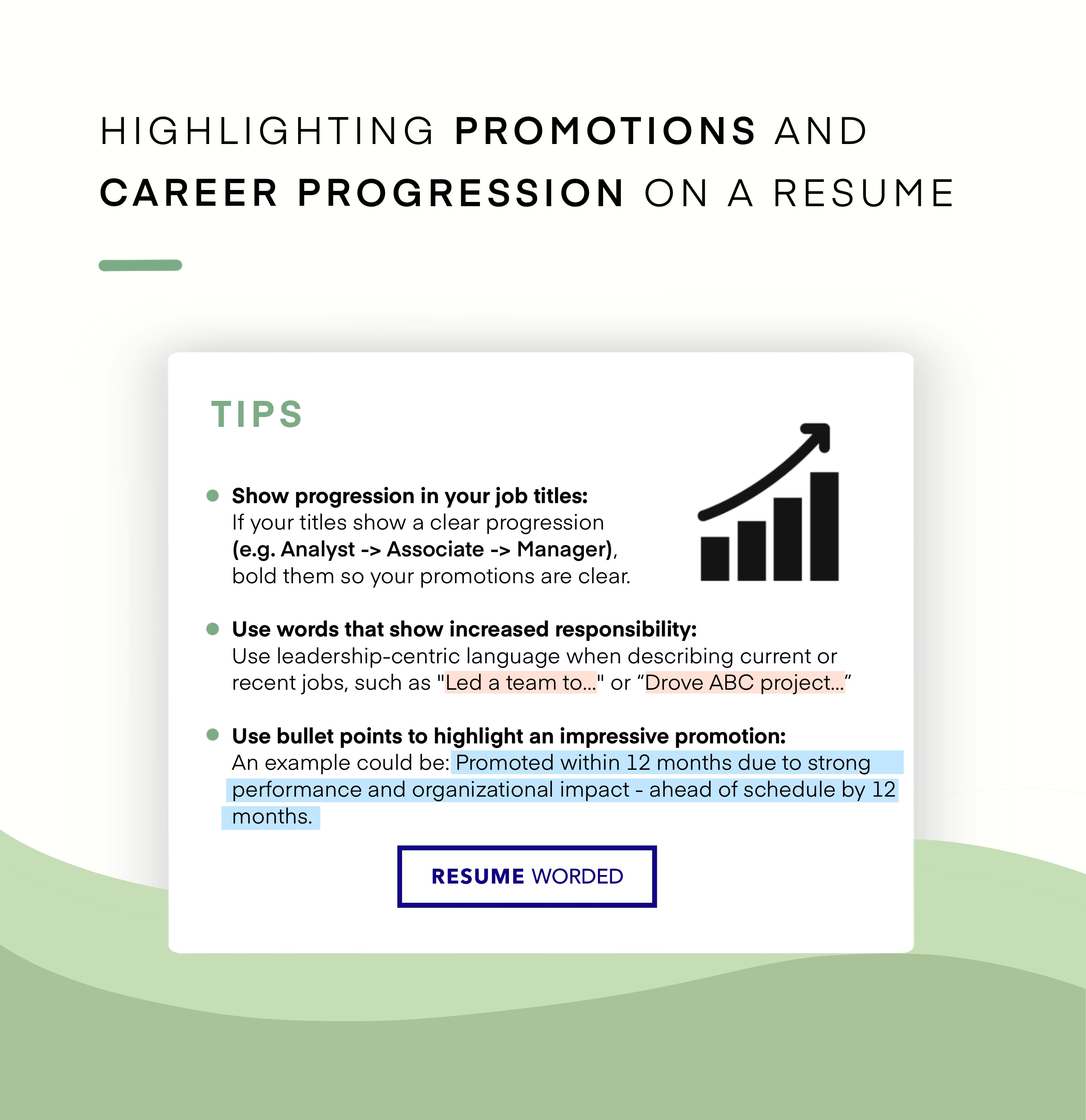
- Promoted within 12 months due to strong performance and organizational impact - ahead of schedule by 12 months
- Ranked top of the class and offered an early promotion to Senior Analyst after two years
These examples all demonstrate that you went above and beyond in performing the duties of your role and emphasize your promotion as being particularly impressive, rather than simply routine.
In other situations
If you’re an experienced hire, you may want to show off a previous promotion without dedicating too much valuable real estate to an older role. This is still doable — simply list each role on a separate line under a single company heading and omit the bullet points.

Example:
PREVIOUS PROFESSIONAL EXPERIENCE
COMPANY NAME, location
Job title #3, dates
Job title #2, dates
Job title #1, dates
Find out if your resume shows career progression
A good way to check if your resume shows career progression is to upload your resume to the tool below — it’ll scan it and let you know if your resume shows growth, relevant accomplishments and skills.
Resume formatting tips
Now that you’ve got your promotion sorted, don’t forget our general resume formatting tips:
Always format your resume in reverse chronological order
On your resume, you should always list your most recent experience first. A functional resume that highlights your skills rather than experience may seem tempting, especially if you don’t have much relevant experience, but a straightforward chronological resume is best.
Always include dates of employment
This one seems obvious, but you’d be amazed how many people leave the dates off their resumes. At a minimum, your resume needs to list the years you were employed. Many hiring managers prefer to see months listed as well, especially if you were in a particular role for less than a few years. Exact dates normally aren’t required outside of specific application forms.
You can demonstrate growth even without a promotion
If you’ve held the same role at your company for a long time, it’s important that your bullet point accomplishments still show a sense of progression, whether that’s through learning new skills, taking on additional responsibilities, or unofficially taking on aspects of a new role. If you’ve been moved around to different roles that weren’t technically promotions — for example, due to company restructuring — you can still frame it as a promotion. This doesn’t mean you need to lie; instead, consider the aspects of your new role that were different or more challenging, and highlight those features.
Frequently asked questions about showing promotions
Should a promotion be listed as one job or two on a resume?
It depends on how similar the roles were. If your day-to-day work stayed mostly the same, list one entry: the company heading, both job titles with dates stacked underneath, and a single set of bullet points. If the promotion changed your responsibilities significantly, give each role its own entry under a shared company heading so recruiters can see what you accomplished at each level.
Can you list the same company twice on a resume?
Yes. Listing the company name twice makes the most sense when there was a break between your two stints — for example, you left for another job or were laid off and later rehired. It can also help with older applicant tracking systems that parse each entry separately. The trade-off: a recruiter skimming quickly might read it as two unrelated jobs, so keep the titles and dates unmistakably clear.
How do you show multiple promotions at the same company?
Stack your job titles under one company heading, most recent first, with dates next to each. Write full bullet points for your current or most senior role and keep older titles to a single line each. If you have three or more roles and limited space, group your best accomplishments under a heading like “Selected project experience” instead of splitting them by title.